Author
James Little/Mass Spec Interpretation Services
My main interest is the identification of organic compounds by mass spectrometry in organic mixtures.
Tags
Article
Academy
Software
Video
LinkedIn Logo

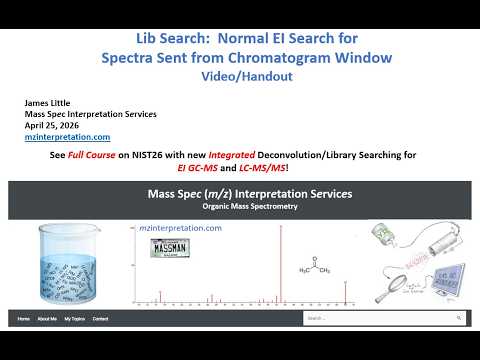
Normal EI Search for Spectra Sent from Chromatogram Window
Tu, 16.6.2026
| Original article from: Mass Spec Interpretation Services/James Little
Learn how to use NIST 26 Lib Search with spectra sent from the Chromatogram Window, compare Full Spectrum and Reverse searches, and improve EI GC-MS identifications.
Video placeholder
  • Photo: James Little: Normal EI Search for Spectra Sent from Chromatogram Window
  • Video: James Little: Normal EI Search for Spectra Sent from Chromatogram Window

The NIST 26 software platform integrates deconvolution and library searching for both EI GC-MS and LC-MS/MS workflows. One of its most useful features is the ability to send spectra directly from the Chromatogram Window to the Lib Search module, allowing analysts to perform more comprehensive library searches and review a broader range of candidate compounds.

This guide summarizes the key concepts presented by James Little in his tutorial on performing Normal EI library searches using spectra exported from the Chromatogram Window. It focuses on the practical workflow, search options, result interpretation, and best practices for obtaining reliable compound identifications.

Why Send Spectra from the Chromatogram Window to Lib Search?

When an EI Normal Identity search is performed directly within the Chromatogram Window, only the highest-ranked identification is displayed for each unknown component. While this approach is useful for rapid screening, it does not provide insight into alternative candidate compounds.

Sending the spectrum to Lib Search offers several advantages:

  • Displays a large list of potential matches instead of only the top hit.
  • Provides additional information that may help confirm or challenge the primary identification.
  • Allows comparison of multiple candidate compounds.
  • Supports more detailed investigation of unknown peaks.
  • Enables the use of additional search methods and library resources.

This is particularly valuable when the top identification is uncertain or when multiple compounds produce similar mass spectra.

Sending a Spectrum to Lib Search

To examine a chromatographic peak in greater detail:

  1. Locate the component of interest in the Chromatogram Window.
  2. Right-click on the selected component.
  3. Choose Library Search from the context menu.
  4. The selected spectrum is transferred directly into Lib Search for further evaluation.

Once transferred, the analyst gains access to a much larger list of candidate compounds than is available within the Chromatogram Window alone.

Configuring Search Settings

Before reviewing search results, it is important to verify that the search configuration is appropriate.

Identity Search Mode

Select:

  • Identity
  • EI Normal

This is the same search mode used by the Chromatogram Window and is typically the best starting point for unknown identification.

Full Spectrum Search

For most applications, a Full Spectrum Search should be used.

This approach compares the complete unknown spectrum against library reference spectra and generally provides the most reliable results when spectra are relatively clean and free from significant interference.

Library Selection

NIST 26 allows searching across multiple libraries simultaneously.

Possible library sources include:

  • Main NIST library
  • Replicate library
  • Wiley libraries
  • User-created libraries
  • Specialized commercial libraries

Results from all selected libraries are combined into a single candidate list.

Save Configuration

Frequently used search settings can be saved for future use, including:

  • Search options
  • Library selections
  • Window layouts
  • Fonts
  • Display settings

Saving configurations helps maintain consistency across projects and analysts.

Understanding the Lib Search Interface

Several key interface elements help analysts interpret results efficiently.

Number of Candidate Spectra

The top status bar displays the total number of candidate spectra returned by the search.

Large candidate lists are common when searching compounds that have multiple reference entries in the libraries.

Search Type Indicator

The bottom-right status area shows:

  • Search type performed
  • Spectrum display mode

This information is useful for confirming that the intended search method was applied.

Butterfly Plot Comparison

One of the most useful visualization tools is the butterfly plot.

In this display:

  • The unknown spectrum is shown on the top.
  • The selected library spectrum is shown on the bottom.

This format allows rapid visual comparison of spectral similarities and differences, helping analysts assess identification confidence.

Reducing Duplicate Search Results

Many compounds appear multiple times within large spectral libraries.

As a result, the initial search may return numerous duplicate entries for the same compound.

Best Matching Only Filter

The Best Matching Only option helps simplify result review by:

  • Removing most duplicate entries.
  • Reducing clutter in the hit list.
  • Making candidate evaluation faster and easier.

Importantly, this filter is applied after the presearch step and can be switched on or off at any time without repeating the search.

Choosing the Right Search Method

NIST 26 offers several search strategies beyond the standard Full Spectrum Search.

Full Spectrum Search (Score)

This method compares the entire unknown spectrum against library entries.

Advantages:

  • Excellent for clean spectra.
  • Produces reliable overall similarity scores.
  • Suitable for routine unknown identification.

Best used when spectral interference is minimal.

Reverse Search (Impurity Tolerant Search, Rev-Dot)

Reverse searching evaluates whether the important peaks present in the library spectrum are found in the unknown spectrum.

Unlike Full Spectrum Search:

  • Extra peaks in the unknown spectrum are not heavily penalized.
  • More tolerant of contamination and coelution.
  • Better suited for noisy or mixed spectra.

Because of these characteristics, Reverse Search is often preferred when dealing with real-world chromatographic data.

Why Reverse Search Works Well with Wiley Libraries

The Wiley libraries contain numerous spectra derived from published literature sources.

Many of these entries are partial spectra rather than complete reference spectra.

For this reason:

  • Reverse Search frequently performs better than Full Spectrum Search.
  • Partial reference spectra can still produce high-quality matches.
  • Additional compounds may be identified that would otherwise be overlooked.

When using Wiley databases, Reverse Search is often recommended as a complementary identification strategy.

Understanding the Role of Presearch

NIST uses a presearch stage to accelerate library searching.

The process works by:

  1. Rapidly identifying promising candidates.
  2. Creating a reduced candidate list.
  3. Performing a more detailed comparison on those candidates.

This dramatically increases search speed while maintaining identification quality.

However, one important limitation exists:

If Reverse Search ranking is applied only after a Full Spectrum presearch, potentially useful candidates may have already been removed during presearch filtering.

Therefore, when Reverse Search is desired, it is often best to specify the Reverse Search method before the search begins.

Sorting Search Results

Search results can be organized using different scoring metrics.

Match Score
  • The default ranking method is the Match Score.
  • This remains the preferred metric for most clean-spectrum identifications.
Reverse Match Score

Results can also be sorted according to Reverse Match.

Benefits include:

  • Improved evaluation of impure spectra.
  • Better handling of coeluting compounds.
  • Enhanced performance with partial library spectra.

For optimal Reverse Match results, the search should be performed using the Impurity Tolerant Search (Rev-Dot) method from the beginning rather than simply re-sorting the final hit list.

Partial Spectrum Search (PSS-Dot)

NIST also includes a Partial Spectrum Search option.

This method is primarily intended for:

  • Tandem MS applications
  • Targeted spectral matching
  • Situations where only part of the spectrum is available

For standard EI unknown identification, Full Spectrum Search and Reverse Search are generally preferred.

Best Practices

To obtain the most reliable EI library search results:

  • Begin with a standard EI Normal Full Spectrum Search.
  • Review multiple candidate hits rather than relying solely on the top identification.
  • Use the Best Matching Only filter to simplify interpretation.
  • Apply Reverse Search when spectra contain impurities or coeluting compounds.
  • Consider Reverse Search when using Wiley library entries.
  • Configure search methods before the search begins whenever possible.
  • Use butterfly plots to visually verify spectral agreement.
  • Save preferred configurations for future projects.

Conclusion

The Lib Search module in NIST 26 significantly expands the analytical capabilities available from the Chromatogram Window. While the Chromatogram Window provides rapid identification using the top-ranked candidate, Lib Search enables a much deeper examination of unknown compounds by presenting extensive candidate lists, advanced search methods, and powerful visualization tools.

Understanding when to use Full Spectrum Search, Reverse Search, and filtering options such as Best Matching Only allows analysts to improve confidence in compound identification, particularly when dealing with complex, noisy, or partially resolved chromatographic data. By combining these tools with multiple spectral libraries, users can maximize the value of NIST 26 for routine EI GC-MS identification workflows.

James Little/Mass Spec Interpretation Services
LinkedIn Logo
 

Related content

Is Your Next Sip Safe? A Simple, Rapid Method for Measuring volatile PFAS in Juices.

Posters
| 2026 | Shimadzu (ASMS)
Instrumentation
GC/MSD, GC/MS/MS, GC/QQQ, HeadSpace
Manufacturer
Shimadzu
Industries
Food & Agriculture

Thermo Scientific™ Orbitrap Exploris™ GC S Mass Spectrometer

Brochures and specifications
| 2026 | Thermo Fisher Scientific
Instrumentation
GC/MSD, GC/MS/MS, GC/Orbitrap, GC/HRMS
Manufacturer
Thermo Fisher Scientific
Industries
Other

Operational efficiency for your GC and GC/MS labs with the Agilent 8860B gas chromatography system

Brochures and specifications
| 2026 | Agilent Technologies
Instrumentation
GC
Manufacturer
Agilent Technologies
Industries
Other

Agilent 8890B Gas Chromatograph

Brochures and specifications
| 2026 | Agilent Technologies
Instrumentation
GC
Manufacturer
Agilent Technologies
Industries
Other

Agilent 8860B Gas Chromatograph

Brochures and specifications
| 2026 | Agilent Technologies
Instrumentation
GC
Manufacturer
Agilent Technologies
Industries
Other
 

Related articles

Configuring and Navigating Chromatogram Window NIST26
Article | Academy

Configuring and Navigating Chromatogram Window NIST26

Learn how to configure, customize, and navigate the new NIST 26 Chromatogram Window. This practical guide covers layouts, zooming, filtering, structure display, and efficient data review workflows.
James Little/Mass Spec Interpretation Services
tag
share
more
Processing EI GC-MS Data in Chromatogram Window NIST26
Article | Academy

Processing EI GC-MS Data in Chromatogram Window NIST26

Learn how to process EI GC-MS data in NIST 26 using integrated AMDIS deconvolution, library searching, filtering, spectral review, and Excel reporting for confident compound identification.
James Little/Mass Spec Interpretation Services
tag
share
more
Lib Search: Similarity EI Hybrid Search for Spectra Sent from Chromatogram Window
Article | Academy

Lib Search: Similarity EI Hybrid Search for Spectra Sent from Chromatogram Window

Learn how NIST 26 Hybrid Search expands EI GC-MS library searching by identifying structurally related compounds using mass-shifted fragment matching, DeltaMass analysis, and MS Interpreter validation.
James Little/Mass Spec Interpretation Services
tag
share
more
MS Interpreter for EI Accurate Mass Data, Correlating Structure to m/z
Article | Academy

MS Interpreter for EI Accurate Mass Data, Correlating Structure to m/z

Learn how to use MS Interpreter in NIST 26 to interpret accurate-mass EI GC-MS spectra, verify library hits, compare candidate structures, and improve compound identification.
James Little/Mass Spec Interpretation Services
tag
share
more
 

Related content

Is Your Next Sip Safe? A Simple, Rapid Method for Measuring volatile PFAS in Juices.

Posters
| 2026 | Shimadzu (ASMS)
Instrumentation
GC/MSD, GC/MS/MS, GC/QQQ, HeadSpace
Manufacturer
Shimadzu
Industries
Food & Agriculture

Thermo Scientific™ Orbitrap Exploris™ GC S Mass Spectrometer

Brochures and specifications
| 2026 | Thermo Fisher Scientific
Instrumentation
GC/MSD, GC/MS/MS, GC/Orbitrap, GC/HRMS
Manufacturer
Thermo Fisher Scientific
Industries
Other

Operational efficiency for your GC and GC/MS labs with the Agilent 8860B gas chromatography system

Brochures and specifications
| 2026 | Agilent Technologies
Instrumentation
GC
Manufacturer
Agilent Technologies
Industries
Other

Agilent 8890B Gas Chromatograph

Brochures and specifications
| 2026 | Agilent Technologies
Instrumentation
GC
Manufacturer
Agilent Technologies
Industries
Other

Agilent 8860B Gas Chromatograph

Brochures and specifications
| 2026 | Agilent Technologies
Instrumentation
GC
Manufacturer
Agilent Technologies
Industries
Other
 

Related articles

Configuring and Navigating Chromatogram Window NIST26
Article | Academy

Configuring and Navigating Chromatogram Window NIST26

Learn how to configure, customize, and navigate the new NIST 26 Chromatogram Window. This practical guide covers layouts, zooming, filtering, structure display, and efficient data review workflows.
James Little/Mass Spec Interpretation Services
tag
share
more
Processing EI GC-MS Data in Chromatogram Window NIST26
Article | Academy

Processing EI GC-MS Data in Chromatogram Window NIST26

Learn how to process EI GC-MS data in NIST 26 using integrated AMDIS deconvolution, library searching, filtering, spectral review, and Excel reporting for confident compound identification.
James Little/Mass Spec Interpretation Services
tag
share
more
Lib Search: Similarity EI Hybrid Search for Spectra Sent from Chromatogram Window
Article | Academy

Lib Search: Similarity EI Hybrid Search for Spectra Sent from Chromatogram Window

Learn how NIST 26 Hybrid Search expands EI GC-MS library searching by identifying structurally related compounds using mass-shifted fragment matching, DeltaMass analysis, and MS Interpreter validation.
James Little/Mass Spec Interpretation Services
tag
share
more
MS Interpreter for EI Accurate Mass Data, Correlating Structure to m/z
Article | Academy

MS Interpreter for EI Accurate Mass Data, Correlating Structure to m/z

Learn how to use MS Interpreter in NIST 26 to interpret accurate-mass EI GC-MS spectra, verify library hits, compare candidate structures, and improve compound identification.
James Little/Mass Spec Interpretation Services
tag
share
more
 

Related content

Is Your Next Sip Safe? A Simple, Rapid Method for Measuring volatile PFAS in Juices.

Posters
| 2026 | Shimadzu (ASMS)
Instrumentation
GC/MSD, GC/MS/MS, GC/QQQ, HeadSpace
Manufacturer
Shimadzu
Industries
Food & Agriculture

Thermo Scientific™ Orbitrap Exploris™ GC S Mass Spectrometer

Brochures and specifications
| 2026 | Thermo Fisher Scientific
Instrumentation
GC/MSD, GC/MS/MS, GC/Orbitrap, GC/HRMS
Manufacturer
Thermo Fisher Scientific
Industries
Other

Operational efficiency for your GC and GC/MS labs with the Agilent 8860B gas chromatography system

Brochures and specifications
| 2026 | Agilent Technologies
Instrumentation
GC
Manufacturer
Agilent Technologies
Industries
Other

Agilent 8890B Gas Chromatograph

Brochures and specifications
| 2026 | Agilent Technologies
Instrumentation
GC
Manufacturer
Agilent Technologies
Industries
Other

Agilent 8860B Gas Chromatograph

Brochures and specifications
| 2026 | Agilent Technologies
Instrumentation
GC
Manufacturer
Agilent Technologies
Industries
Other
 

Related articles

Configuring and Navigating Chromatogram Window NIST26
Article | Academy

Configuring and Navigating Chromatogram Window NIST26

Learn how to configure, customize, and navigate the new NIST 26 Chromatogram Window. This practical guide covers layouts, zooming, filtering, structure display, and efficient data review workflows.
James Little/Mass Spec Interpretation Services
tag
share
more
Processing EI GC-MS Data in Chromatogram Window NIST26
Article | Academy

Processing EI GC-MS Data in Chromatogram Window NIST26

Learn how to process EI GC-MS data in NIST 26 using integrated AMDIS deconvolution, library searching, filtering, spectral review, and Excel reporting for confident compound identification.
James Little/Mass Spec Interpretation Services
tag
share
more
Lib Search: Similarity EI Hybrid Search for Spectra Sent from Chromatogram Window
Article | Academy

Lib Search: Similarity EI Hybrid Search for Spectra Sent from Chromatogram Window

Learn how NIST 26 Hybrid Search expands EI GC-MS library searching by identifying structurally related compounds using mass-shifted fragment matching, DeltaMass analysis, and MS Interpreter validation.
James Little/Mass Spec Interpretation Services
tag
share
more
MS Interpreter for EI Accurate Mass Data, Correlating Structure to m/z
Article | Academy

MS Interpreter for EI Accurate Mass Data, Correlating Structure to m/z

Learn how to use MS Interpreter in NIST 26 to interpret accurate-mass EI GC-MS spectra, verify library hits, compare candidate structures, and improve compound identification.
James Little/Mass Spec Interpretation Services
tag
share
more
 

Related content

Is Your Next Sip Safe? A Simple, Rapid Method for Measuring volatile PFAS in Juices.

Posters
| 2026 | Shimadzu (ASMS)
Instrumentation
GC/MSD, GC/MS/MS, GC/QQQ, HeadSpace
Manufacturer
Shimadzu
Industries
Food & Agriculture

Thermo Scientific™ Orbitrap Exploris™ GC S Mass Spectrometer

Brochures and specifications
| 2026 | Thermo Fisher Scientific
Instrumentation
GC/MSD, GC/MS/MS, GC/Orbitrap, GC/HRMS
Manufacturer
Thermo Fisher Scientific
Industries
Other

Operational efficiency for your GC and GC/MS labs with the Agilent 8860B gas chromatography system

Brochures and specifications
| 2026 | Agilent Technologies
Instrumentation
GC
Manufacturer
Agilent Technologies
Industries
Other

Agilent 8890B Gas Chromatograph

Brochures and specifications
| 2026 | Agilent Technologies
Instrumentation
GC
Manufacturer
Agilent Technologies
Industries
Other

Agilent 8860B Gas Chromatograph

Brochures and specifications
| 2026 | Agilent Technologies
Instrumentation
GC
Manufacturer
Agilent Technologies
Industries
Other
 

Related articles

Configuring and Navigating Chromatogram Window NIST26
Article | Academy

Configuring and Navigating Chromatogram Window NIST26

Learn how to configure, customize, and navigate the new NIST 26 Chromatogram Window. This practical guide covers layouts, zooming, filtering, structure display, and efficient data review workflows.
James Little/Mass Spec Interpretation Services
tag
share
more
Processing EI GC-MS Data in Chromatogram Window NIST26
Article | Academy

Processing EI GC-MS Data in Chromatogram Window NIST26

Learn how to process EI GC-MS data in NIST 26 using integrated AMDIS deconvolution, library searching, filtering, spectral review, and Excel reporting for confident compound identification.
James Little/Mass Spec Interpretation Services
tag
share
more
Lib Search: Similarity EI Hybrid Search for Spectra Sent from Chromatogram Window
Article | Academy

Lib Search: Similarity EI Hybrid Search for Spectra Sent from Chromatogram Window

Learn how NIST 26 Hybrid Search expands EI GC-MS library searching by identifying structurally related compounds using mass-shifted fragment matching, DeltaMass analysis, and MS Interpreter validation.
James Little/Mass Spec Interpretation Services
tag
share
more
MS Interpreter for EI Accurate Mass Data, Correlating Structure to m/z
Article | Academy

MS Interpreter for EI Accurate Mass Data, Correlating Structure to m/z

Learn how to use MS Interpreter in NIST 26 to interpret accurate-mass EI GC-MS spectra, verify library hits, compare candidate structures, and improve compound identification.
James Little/Mass Spec Interpretation Services
tag
share
more
Other projects
LCMS
ICPMS
Follow us
FacebookX (Twitter)LinkedInYouTube
More information
WebinarsAbout usContact usTerms of use
LabRulez s.r.o. All rights reserved. Content available under a CC BY-SA 4.0 Attribution-ShareAlike